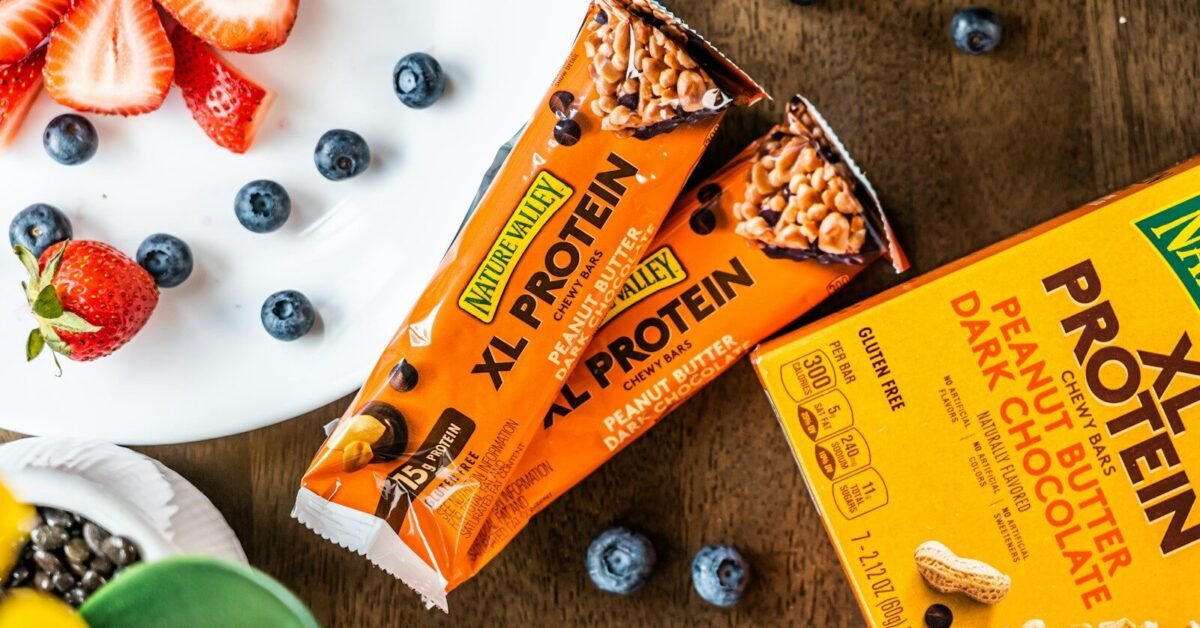
In our hands-on label checks, the Nutrition Facts panel becomes useful the moment a shopper stops trying to read it like a lecture and starts reading it like a decision tool. The label tells you serving size, calories, % Daily Value, and key nutrients so you can compare foods quickly and make a better choice in the aisle.
What a Nutrition Facts label actually shows
A Nutrition Facts label is a standardized snapshot of one serving of a packaged food or drink. FDA uses the label to show serving size, calories, and nutrient information in a format that makes food comparisons faster and more consistent.
The label is most useful when you read it in order. Serving size tells you how much the panel is based on, calories tell you the energy in that serving, and % Daily Value tells you whether a nutrient is low or high in that serving. FDA updated the label so these details are easier to find and use.
- Serving size: Tells you the amount the nutrition numbers are based on.
- Calories: Shows the energy in one serving.
- % Daily Value: Shows how much a nutrient in one serving contributes to your day.
- Nutrient list: Shows the main fats, carbs, protein, vitamins, and minerals on the package.
How to read a Nutrition Facts label step by step
The fastest way to read a Nutrition Facts label is to check serving size, calories, and % Daily Value in that order. That sequence gives you a quick yes-or-no answer before you spend time comparing the rest of the panel.
FDA says the nutrition information on the label is usually based on one serving, but one package can contain more than one serving. That means a bottle, bag, or box can look modest until you realize the numbers need to be multiplied by how much you actually eat.
- Read the serving size first.
- Check how many servings are in the package.
- Look at calories per serving.
- Use %DV to judge whether nutrients are low or high.
- Compare the product with a second option in the same category.
Why serving size matters so much
Serving size matters because every other number on the label depends on it. If the label says one serving is 2 crackers and you eat 6 crackers, you are eating 3 servings, which changes the calories, nutrients, and %DV you actually consume.
That is the single biggest source of label confusion. A product can look healthy on paper until you realize the package contains more than one serving. Once you multiply the numbers, the picture becomes much clearer.
What % Daily Value means
% Daily Value (%DV) tells you how much a nutrient in one serving contributes to a total daily diet. FDA uses 5% DV or less as low and 20% DV or more as high, which makes %DV one of the fastest label shortcuts available to shoppers.
%DV is not a score for the whole food. It is a comparison tool. Lower %DV is usually what you want for sodium, saturated fat, and added sugars, while higher %DV is often what you want for fiber, vitamin D, calcium, iron, and potassium.
| %DV | What it usually means | How shoppers often use it |
|---|---|---|
| 5% or less | Low | Helpful when you want to limit sodium, saturated fat, or added sugars |
| 10% to 19% | Moderate | Useful when comparing similar foods |
| 20% or more | High | Helpful when you want more fiber, vitamin D, calcium, iron, or potassium |
How to use %DV for nutrients you want to limit or increase
Lower %DV is usually better for nutrients you want to limit, and higher %DV is usually better for nutrients you want to increase. That simple rule helps you avoid treating every high number as bad or every low number as good.
In our label-reading practice, the most useful habit is to separate nutrients into two groups. Sodium, saturated fat, and added sugars are often nutrients to keep lower. Dietary fiber, vitamin D, calcium, iron, and potassium are often nutrients to look for in higher amounts.
- Limit nutrients: Choose lower %DV for sodium, saturated fat, and added sugars.
- Boost nutrients: Choose higher %DV for dietary fiber, vitamin D, calcium, iron, and potassium.
- Compare similar foods: Use %DV to choose the better option in the same category.
How to read calories without getting tricked
Calories only make sense when the serving size makes sense. A 100-calorie serving can become a 300-calorie choice very quickly if the package contains three servings and you eat the whole package.
FDA notes that 2,000 calories a day is used as a general guide for nutrition advice, but your personal needs may be higher or lower. That is why the label is best used as a comparison tool, not as a strict meal prescription.
How to read fat, carbs, protein, and added sugars
The nutrient panel is most useful when you scan the numbers that affect your specific goal. For many shoppers, that means checking saturated fat, sodium, total sugars, added sugars, fiber, and protein first.
FDA requires the Nutrition Facts label to list total fat, saturated fat, trans fat, cholesterol, sodium, total carbohydrate, dietary fiber, total sugars, added sugars, protein, and certain vitamins and minerals. Added sugars are called out separately because they are important to limit in many packaged foods and drinks.
| Nutrient | What to look for | Why it matters |
|---|---|---|
| Saturated fat | Usually lower is better | Helps you keep the fat profile more balanced |
| Sodium | Usually lower is better | Helps you avoid very salty products |
| Total sugars | Shows all sugar in the product | Includes both naturally occurring and added sugars |
| Added sugars | Usually lower is better | Shows sugar added during processing or packaging |
| Fiber | Usually higher is better | Helps you spot more filling, higher-fiber foods |
| Protein | Helpful to compare across similar foods | Supports meal planning and satiety goals |
How added sugars appear on the label
Added sugars are listed separately so shoppers can see how much sugar was added during processing or packaging. FDA explains that added sugars include sugars added during processing, sugars packaged as sweeteners, and sugars from syrups, honey, and concentrated fruit or vegetable juices.
That matters because a product can contain both naturally occurring sugar and added sugar. The label helps you separate those two pieces instead of guessing based on the front of the package.
For a 2,000-calorie diet, FDA and the Dietary Guidelines point to keeping calories from added sugars below 10 percent of total calories. That is one reason the added sugars line is so valuable when you are comparing drinks, sauces, cereals, and snack foods.
How to read the label faster in the grocery store
The fastest in-store method is to read the label from top to bottom and stop only at the numbers that match your goal. PreciEat helps by turning the Nutrition Facts panel into a faster comparison so shoppers can decide before the cart gets full.
When you are standing in a grocery aisle, you rarely need every single detail. You need the right detail. A scanner like PreciEat is useful because it shortens the path from label clutter to a practical answer.
- Start at the top: Serving size and servings per container come first.
- Check the middle: Calories and key nutrients tell you the practical impact.
- Use the %DV: Low for limit nutrients, high for nutrients you want more of.
- Compare two labels: Pick the better fit for your needs and move on.
Common mistakes when reading Nutrition Facts labels
Most label-reading mistakes come from skipping serving size or treating %DV as a universal good-or-bad score. Once those two errors are fixed, most shoppers can read the panel much more accurately in less time.
In our hands-on label checks, the most common mistake is assuming the package numbers are for the entire package. The second mistake is assuming higher always means worse. In reality, higher %DV is helpful for some nutrients and not helpful for others.
- Mistake one: Ignoring serving size.
- Mistake two: Treating %DV like a grade.
- Mistake three: Looking only at calories and skipping nutrients.
- Mistake four: Forgetting that one package can contain multiple servings.
Quick reference: the label-reading order that works
The best order is serving size, servings per container, calories, %DV, then ingredient context. That sequence works because it moves from basic math to practical nutrition to ingredient details without wasting time.
| Step | What to check | Why it matters |
|---|---|---|
| 1 | Serving size | Defines the numbers on the panel |
| 2 | Servings per container | Shows whether the whole package is more than one serving |
| 3 | Calories | Shows the energy in one serving |
| 4 | %DV | Shows whether a nutrient is low or high |
| 5 | Ingredient list | Confirms what is actually inside the product |
Frequently asked questions
Is 5% Daily Value low?
Yes. FDA says 5% DV or less of a nutrient per serving is considered low, which is useful when you want to limit sodium, saturated fat, or added sugars.
Is 20% Daily Value high?
Yes. FDA says 20% DV or more of a nutrient per serving is considered high, which is useful when you want more fiber, vitamin D, calcium, iron, or potassium.
Does %DV apply to the whole package?
No. %DV is usually based on one serving, and many packages contain more than one serving. You need to multiply the numbers by how much you actually eat.
Should I always choose the lowest %DV?
No. Lower %DV is useful for nutrients like sodium and added sugars, but higher %DV is often better for nutrients like fiber, calcium, iron, potassium, and vitamin D.
What should I check first on a label?
Serving size first. Once serving size is clear, the rest of the label becomes much easier to interpret.
Related reading
If you want to keep building label-reading speed, these PreciEat guides are a good next step:
- HFCS in Food: Why You Should Avoid It
- Understanding Sulfites and MSG in Food Labels
- Clean Eating Grocery Shopping: 5 Smart Rules
- What Foods Contain FDA Major Allergens?
Final takeaway
A Nutrition Facts label is easiest to understand when you read it in order: serving size, calories, %DV, then the nutrient details. Once shoppers learn that sequence, the label becomes a quick tool for comparing foods instead of a wall of numbers.
For readers who want a faster shelf check, PreciEat can help turn the Nutrition Facts label into a quicker decision before the cart gets full.